+234 8123456781.
And the agent we will be cashing out through is a demo agent account (+234 8123456780) created in the Onboard New Agents tutorial.
1
Log in as End User
Head over to the Universal Wallet Demo (https://uw.stargate.is) and log in with an end user account credentials.For the purpose of this tutorial, we will use the demo end user account
+234 8123456781 which has been funded in the Cash In tutorial.2
The Wallet Section
Once logged in, you will be automatically directed to the Wallet section with your wallet account balance, history and wallet operations.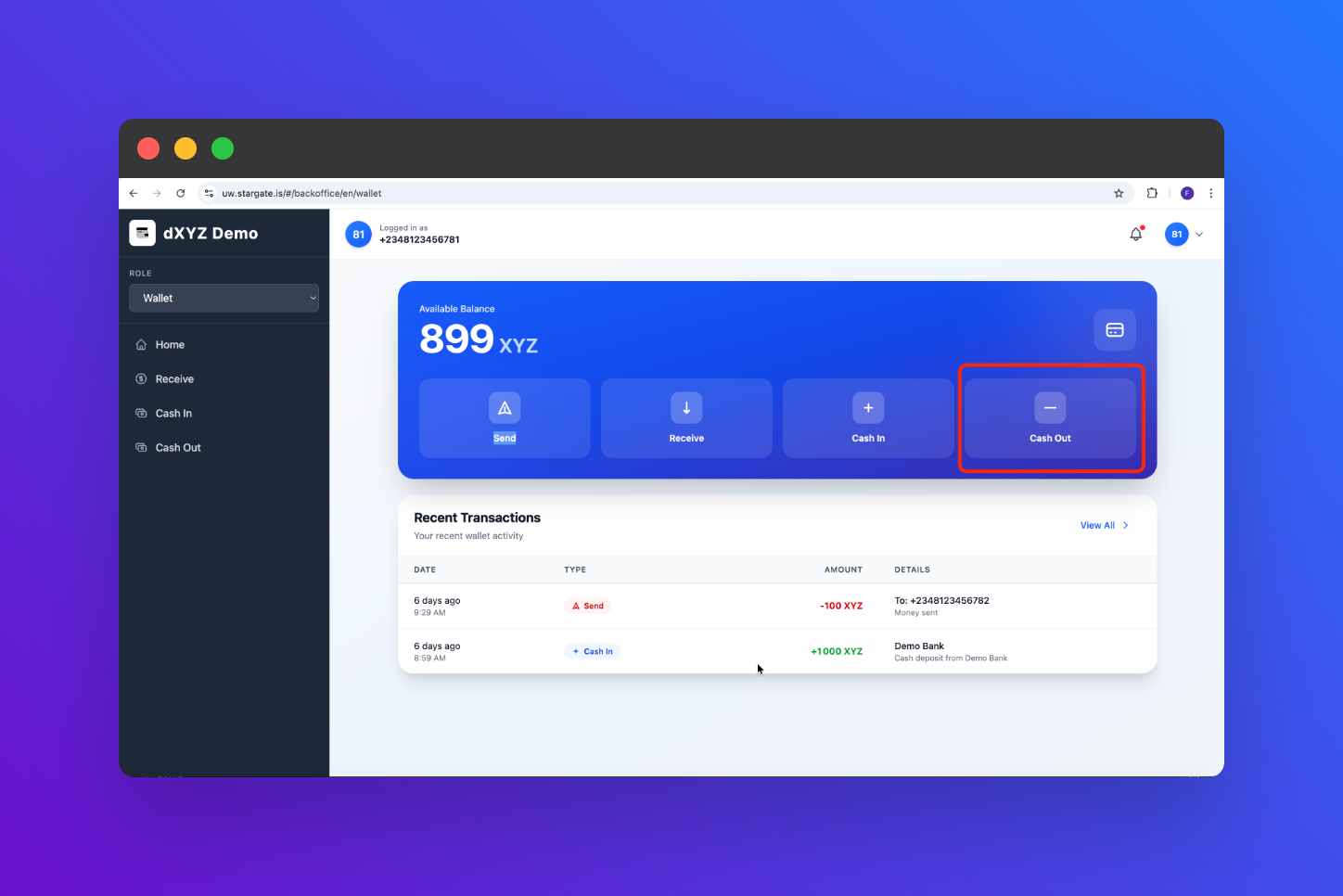
3
Select 'Cash Out'
In the Wallets section, locate and click on the “Cash Out” button to start the cash out process.
4
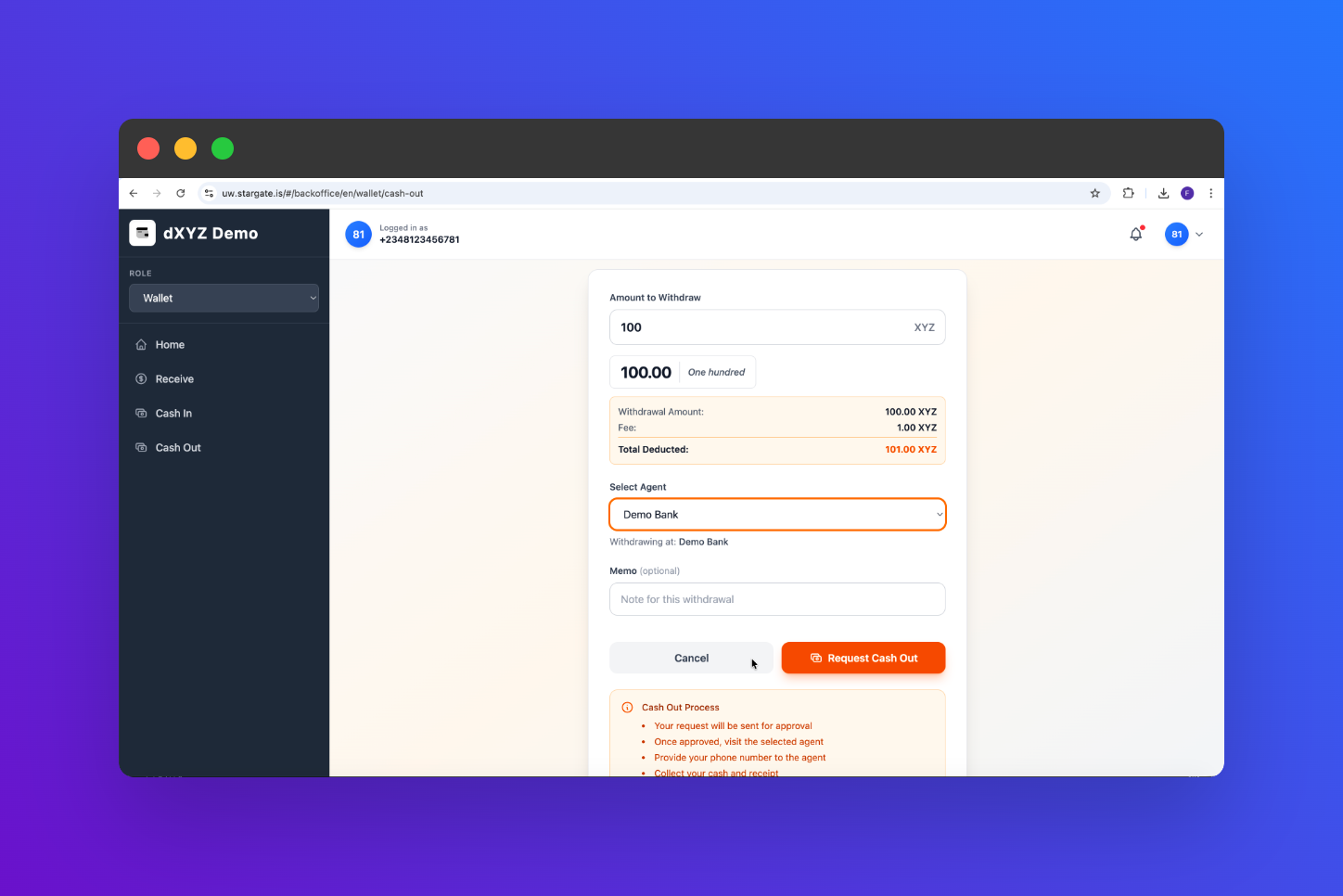
Enter Cash Out Details
Fill in the required details for the cash out transaction, including:
- Amount
- Agent’s Phone Number (
+234 8123456780) - Check the fees associated with the cash out.
5
Confirm and Cash Out
Review the cash out details you have entered. If everything looks correct, click on the “Approve” button to complete the cash out process.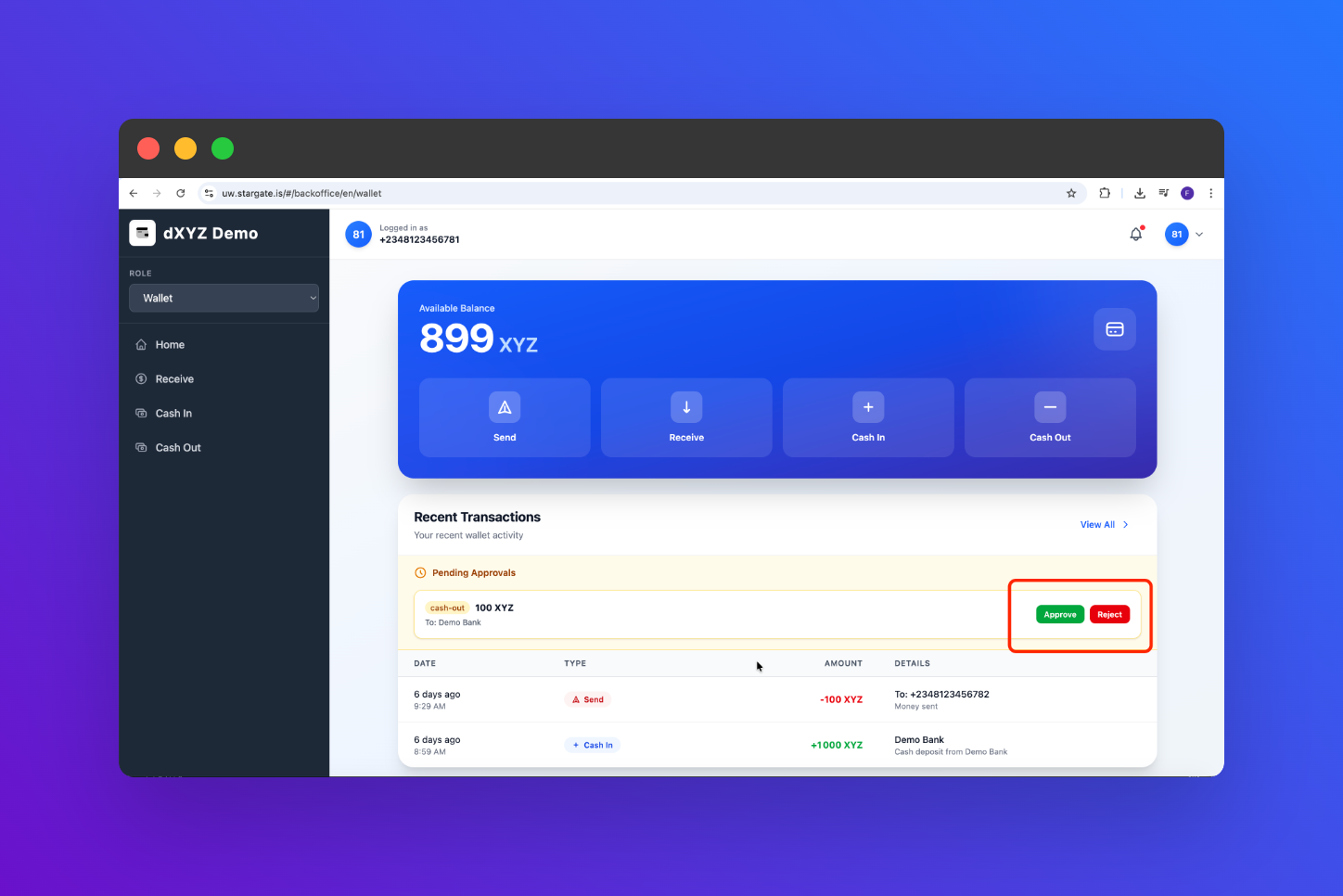
6
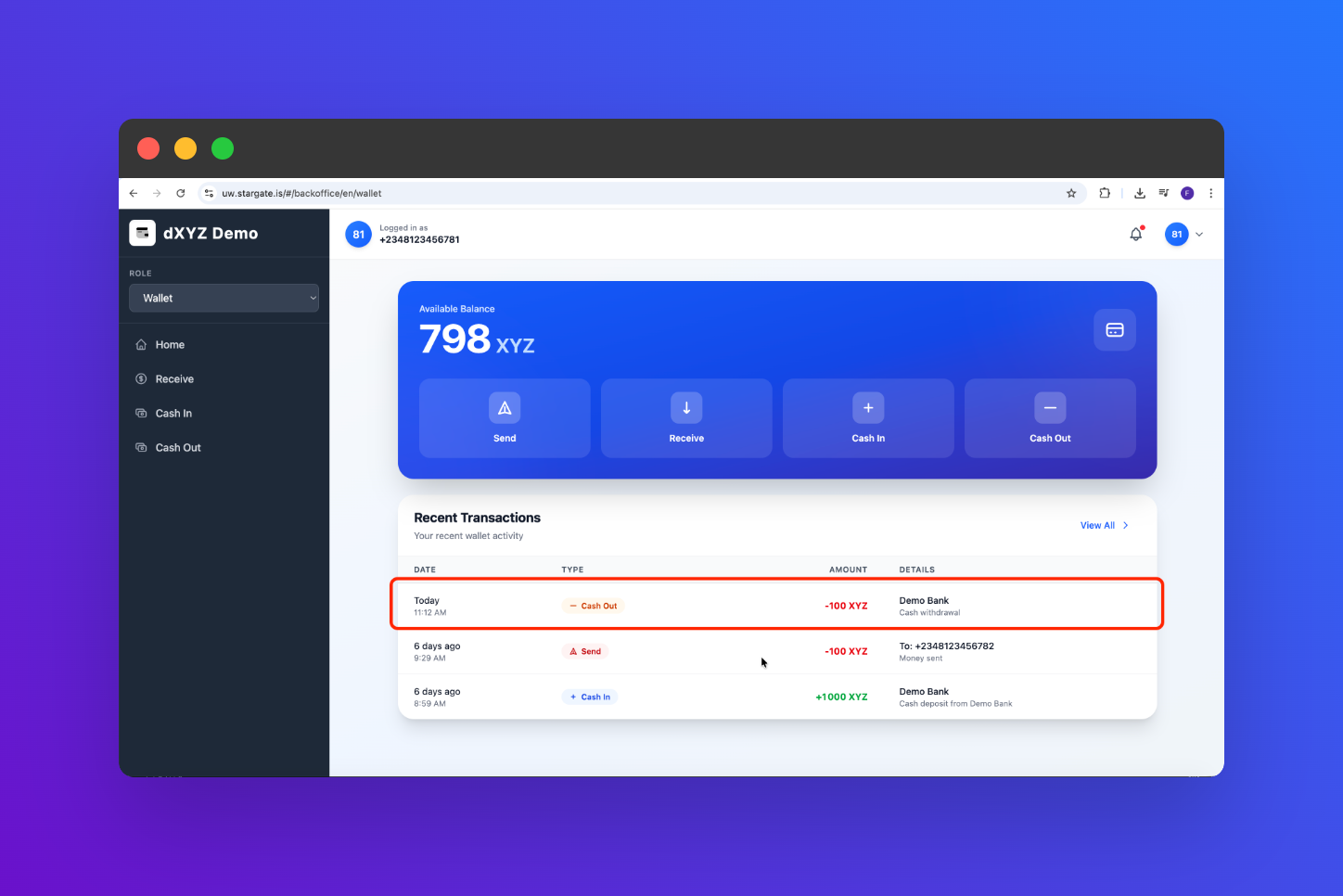
Verify Cash Out Transaction
After completing the cash out, navigate to your transaction history to verify that the cash out transaction has been successfully processed and your balance has been updated.