- Sender: (
+234 8123456781). - Recipient: (
+234 8123456782).
1
Log in as End User
Head over to the Universal Wallet Demo (https://uw.stargate.is) and log in with the sender end user account credentials.For the purpose of this tutorial, you can use the following demo end user account credentials:
- 2FA Code:
2XO537GFER5RUVVWS2ZJXMJ2PD3BL3B7(to be used in your authenticator app) or scan the QR code below: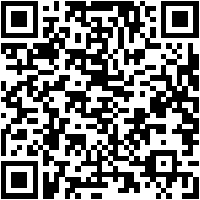
- Phone Number:
+234 8123456781
2
The Wallet Section
Once logged in, you will be automatically directed to the Wallet section with your wallet account balance, history and wallet operations.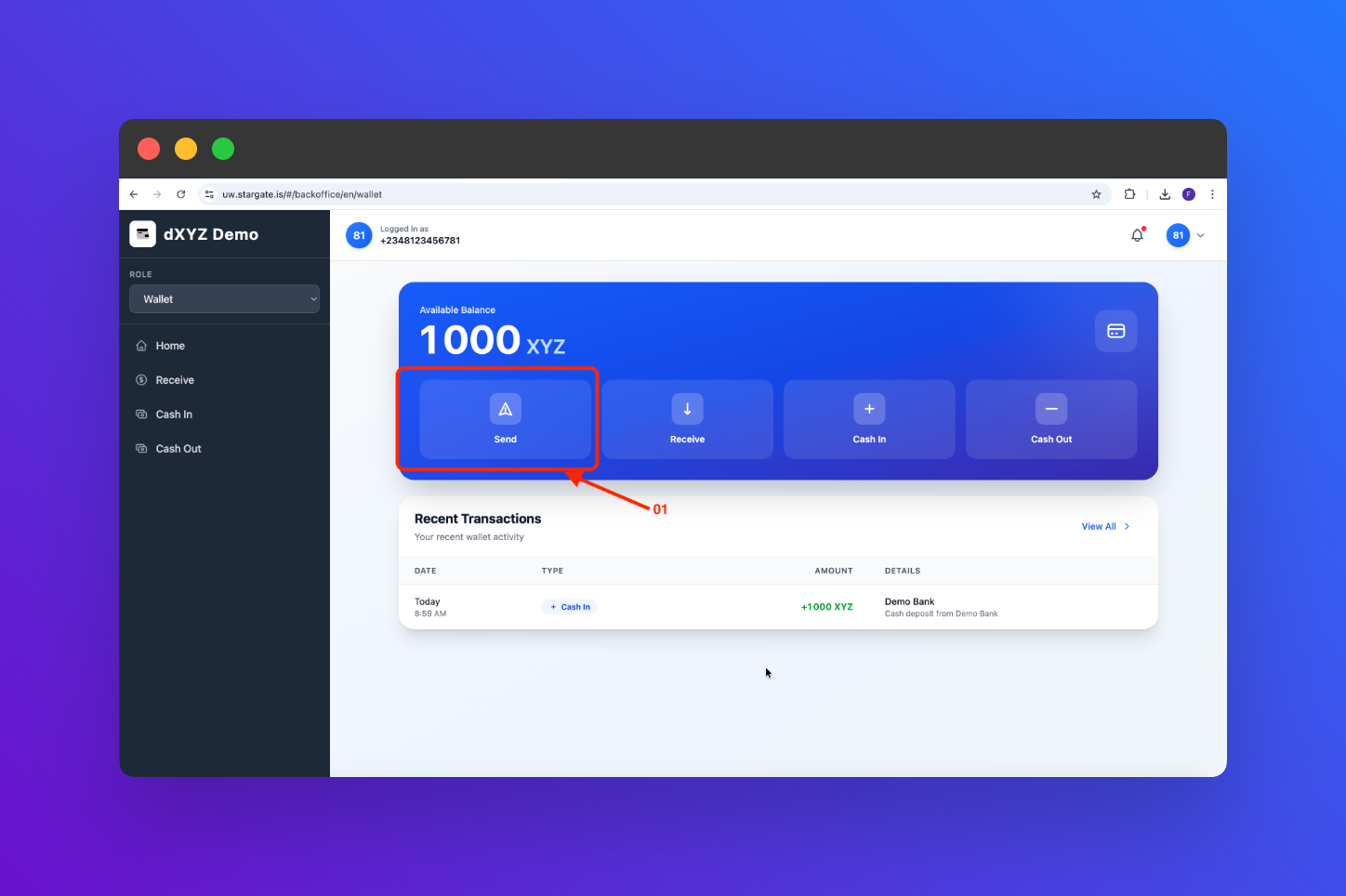
3
Select 'Send'
In the Wallets section, locate and click on the “Send” button to start the fund transfer process.
4
Enter Transfer Details
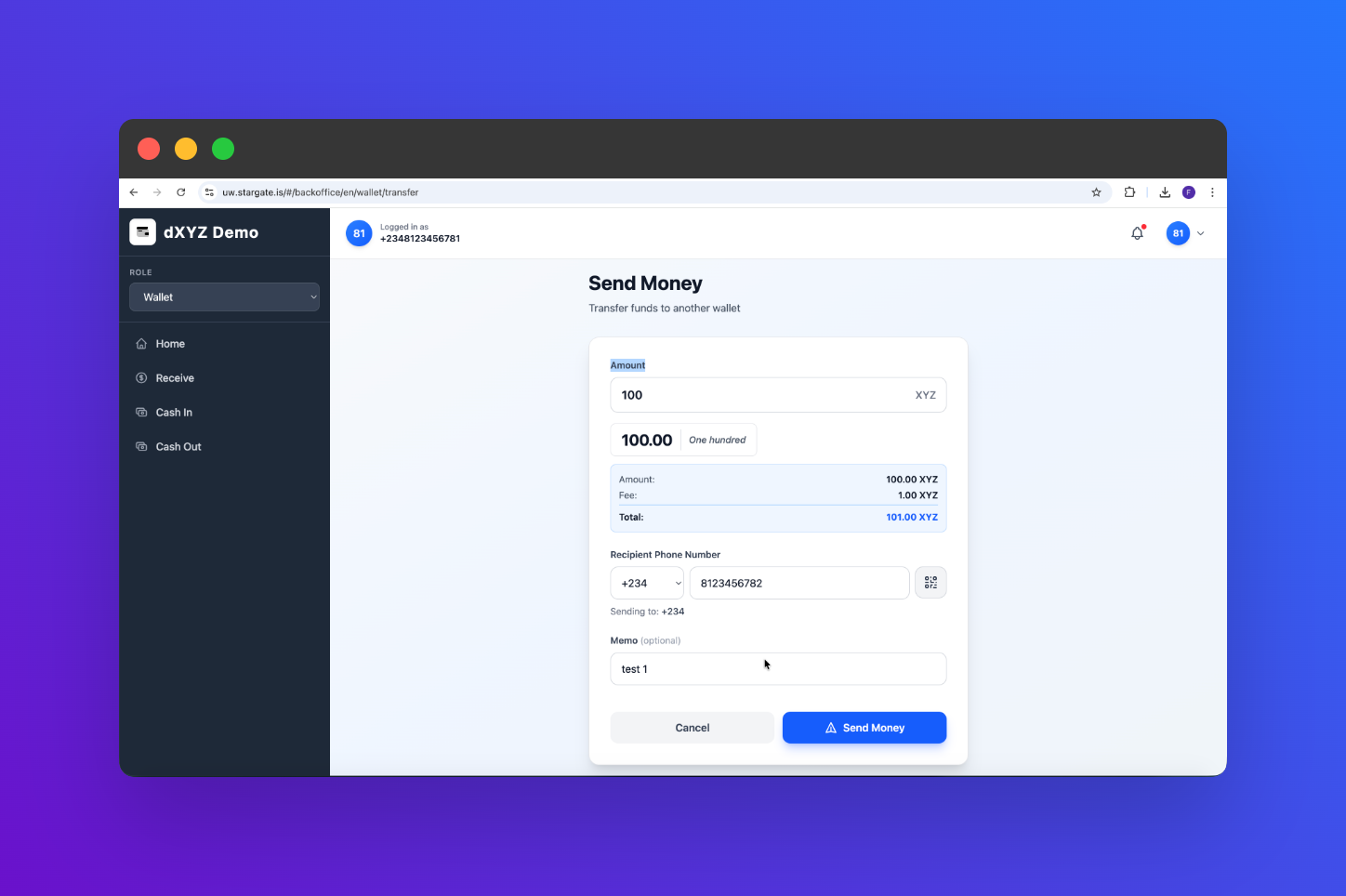
Fill in the required details for the fund transfer transaction, including:
- Amount
- Recipient’s Phone Number (
+234 8123456782) - Check the fees associated with the transfer.
5
Confirm and Transfer Funds
Review the transfer details you have entered. If everything looks correct, click on the “Approve” button to complete the fund transfer process.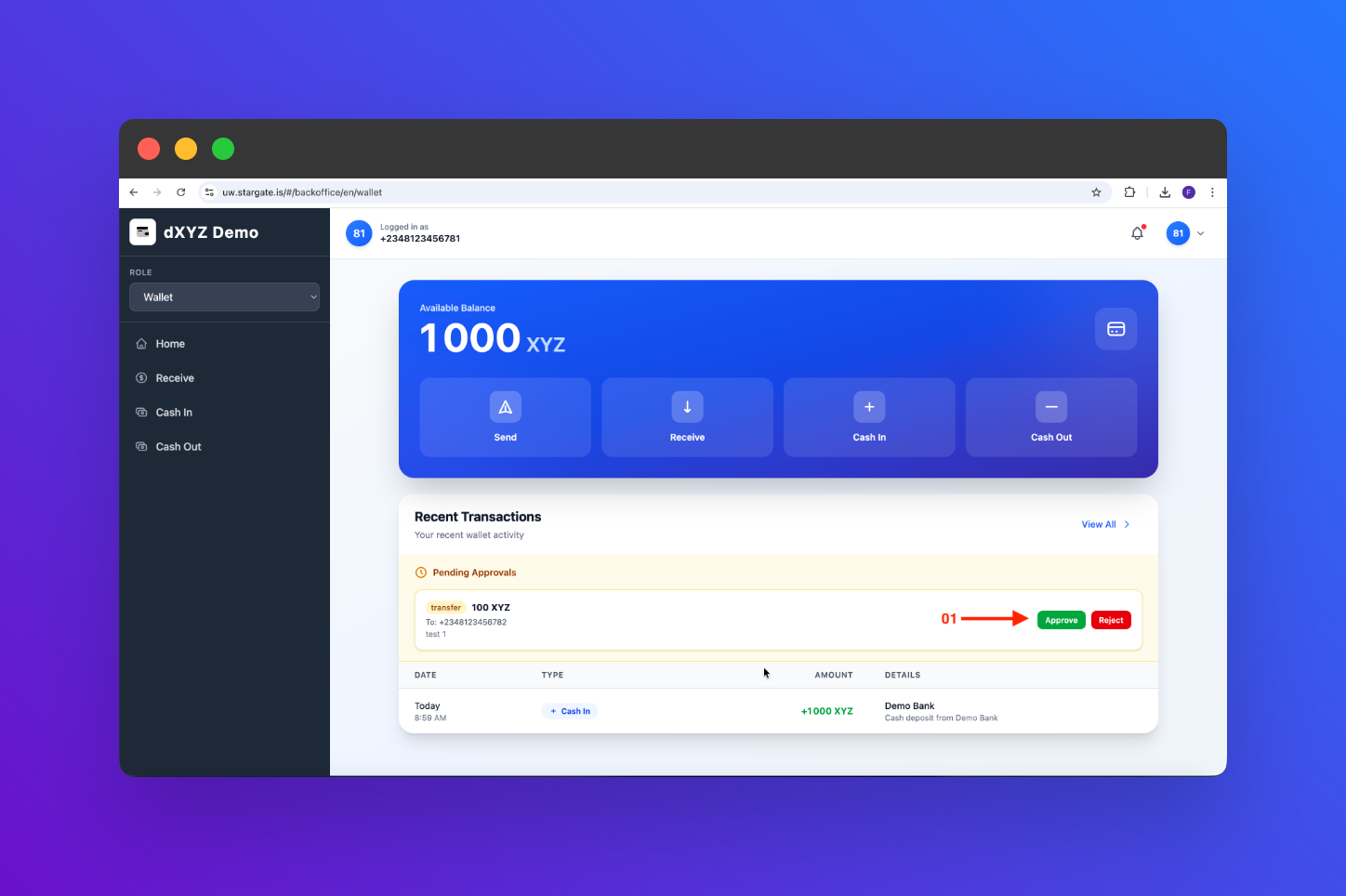
6
Verify Transfer Transaction
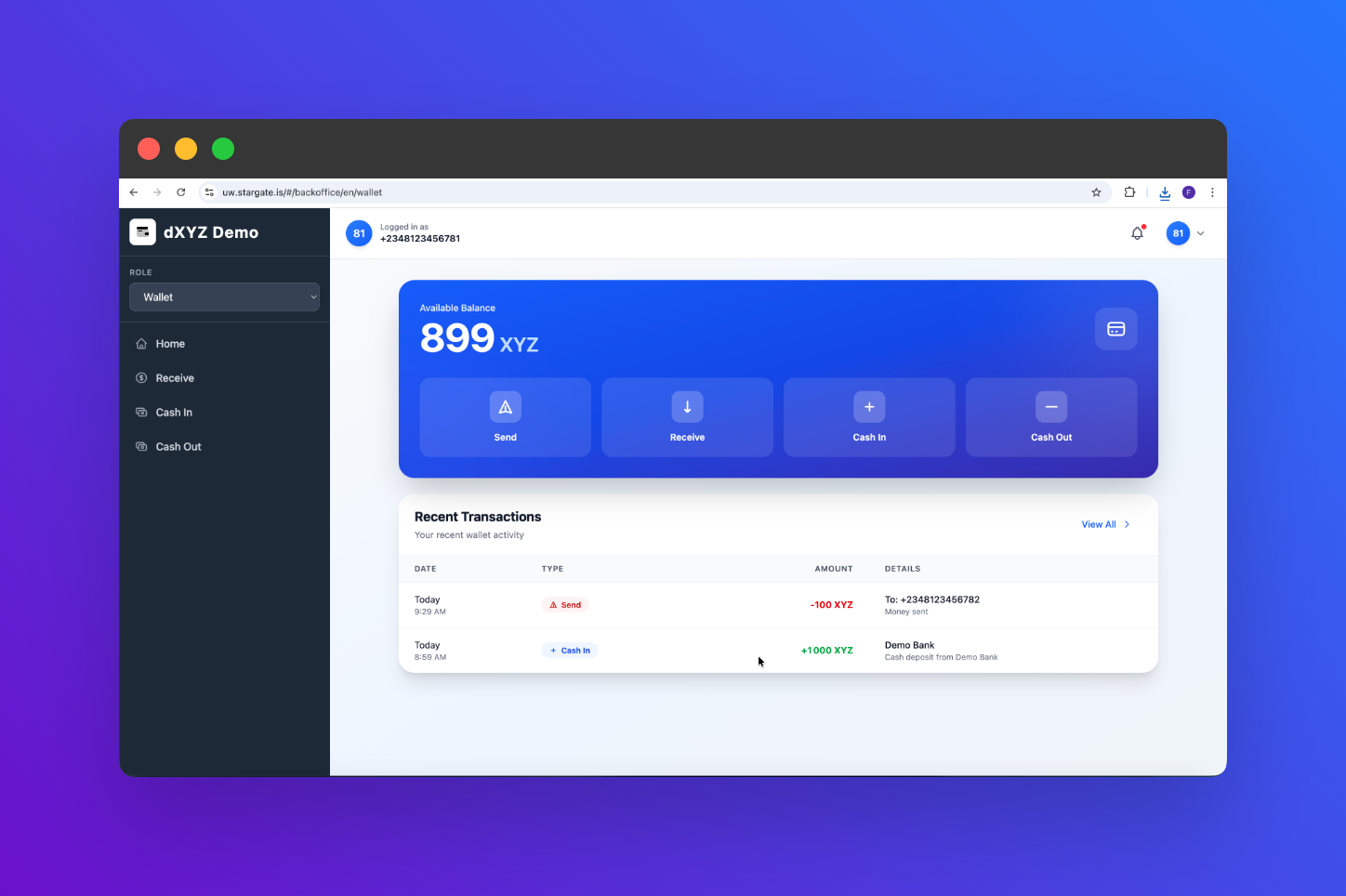
After completing the fund transfer, navigate to your transaction history to verify that the transfer transaction has been successfully processed and your balance has been updated.