1
Log in as Issuer
Head over to the Universal Wallet Demo (https://uw.stargate.is) and log in with the issuer account credentials provided in the Objectives tutorial.
2
Navigate to the Token Distribution Dashboard
Once logged in, navigate to the Token Distribution Dashboard by clicking on the “Issuer” tab in the main navigation menu.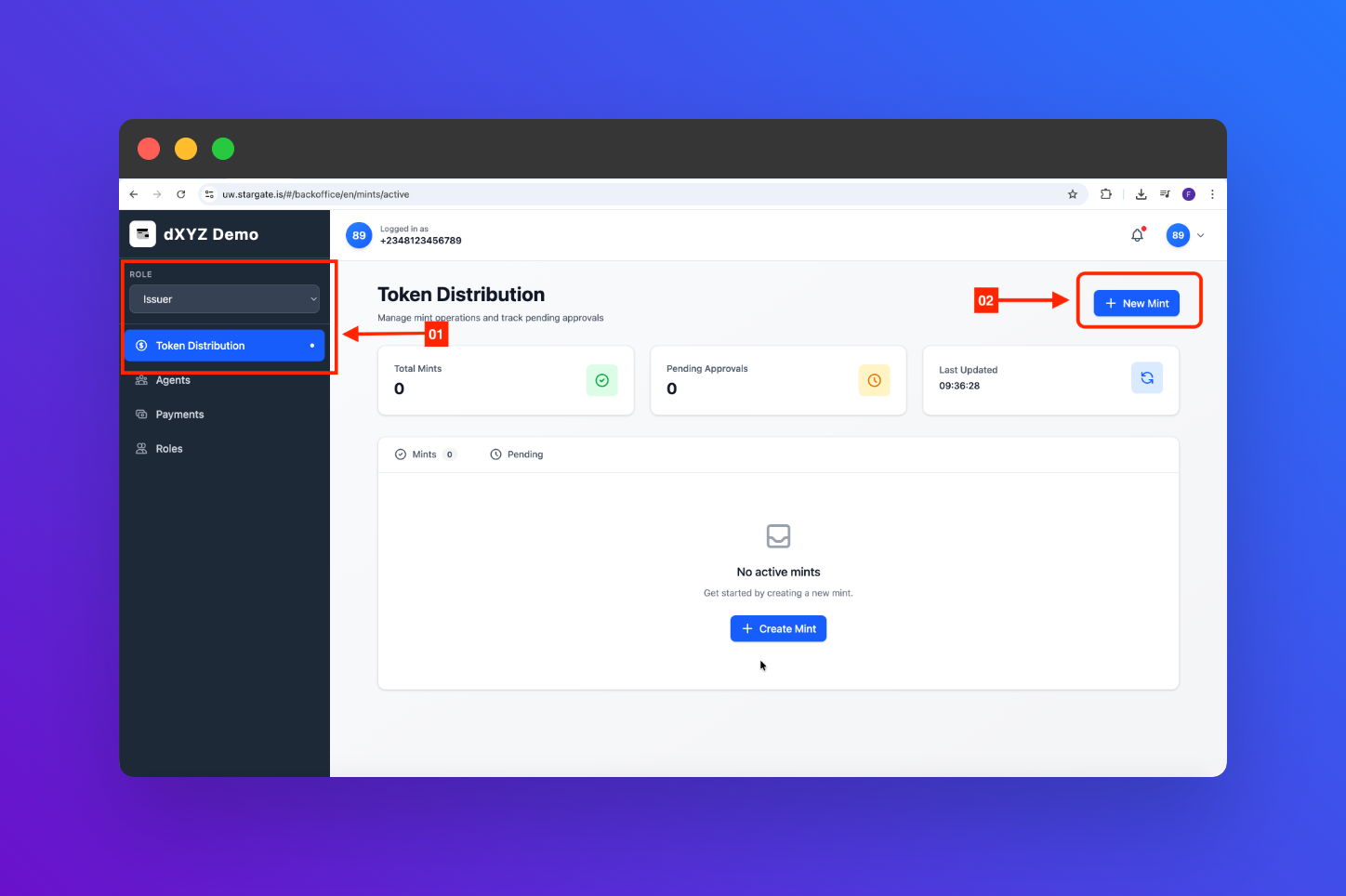
3
Select 'New Mint'
In the Token Distribution Dashboard, locate and click on the “New Mint” button to start the token minting process.
4
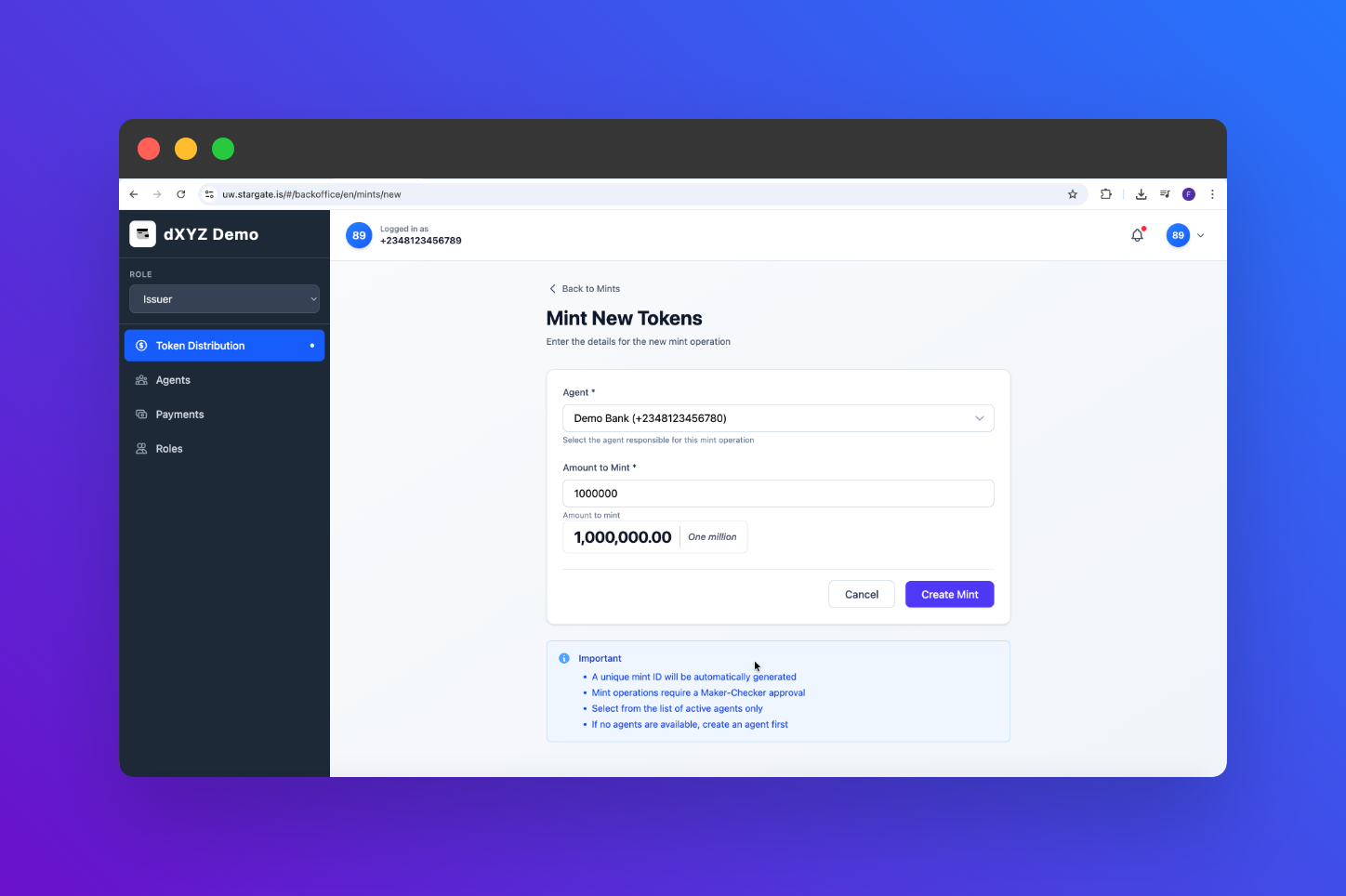
Fill out Minting Form
Fill in the required details for the new tokens you wish to mint, including:
- Agent
-
Amount
5
Confirm and Mint
Review the minting details you have entered. If everything looks correct, click on the “Confirm” button to mint the new tokens.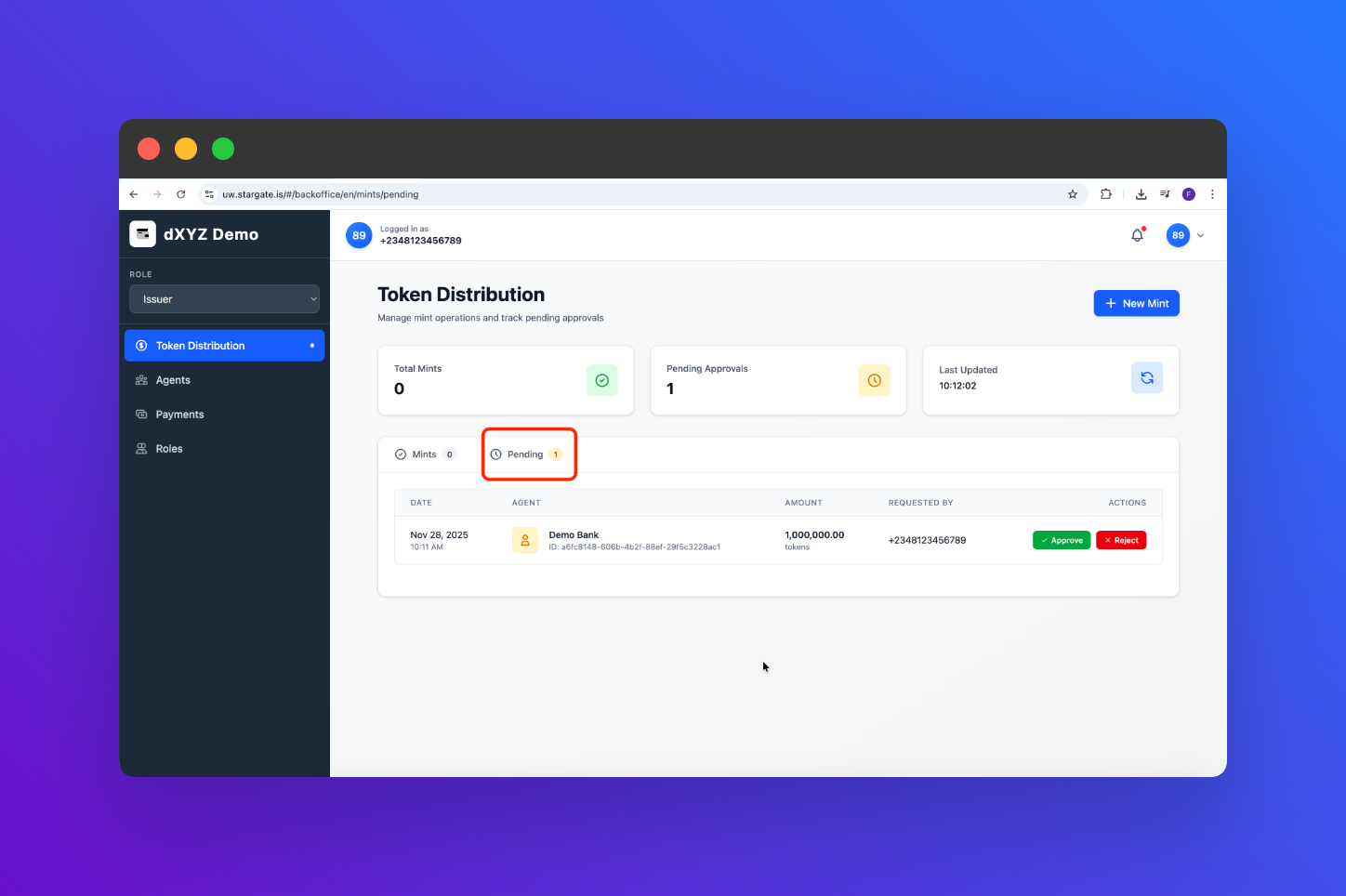
6
Verify Minted Tokens
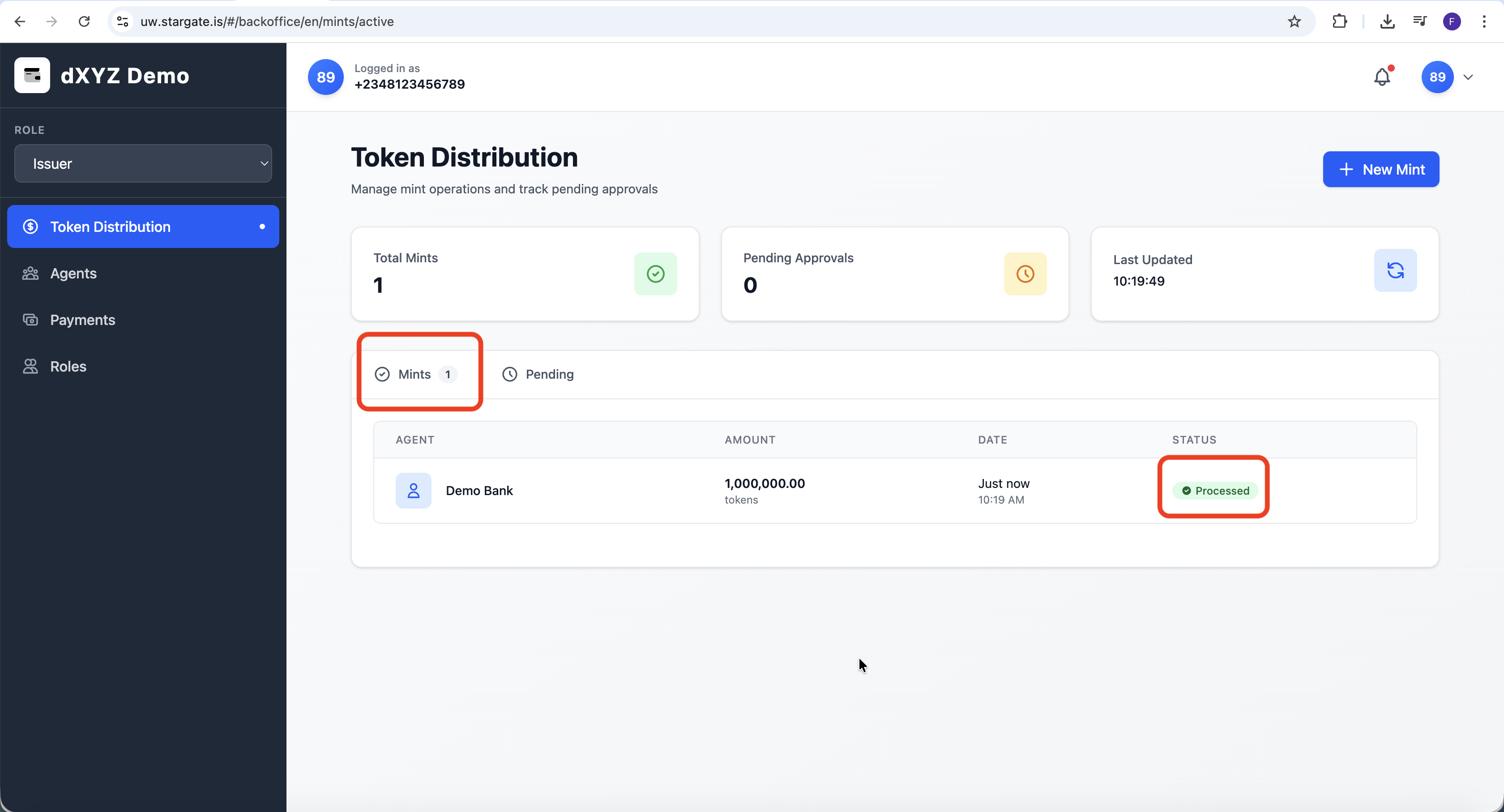
After minting, navigate to your token list in the Token Distribution Dashboard to verify that the new tokens have been successfully minted and are available for distribution.